
Treasury overview
Treasury shows the cash recorded across your accounts, where it's held, and the items that still need your attention.
What Treasury is for
Treasury gives you one place to see the cash your business holds across its RunwayCal accounts. Use it to check balances, move cash between accounts, review activity that needs attention, and open Reconciliation when statement transactions need to be resolved.
Treasury reflects cash that has actually been recorded as received or paid. When you receive a customer payment or pay a tool, payroll, a commitment, a tax bill or a funding event, that cash movement shows up in Treasury against the account it affected.
Expected revenue, planned spending and forecasts can help you plan, but they aren't the same as cash already recorded in your accounts. Importing a statement, reviewing reconciliation items, or looking at analytics never changes your balance — only a recorded cash movement does.
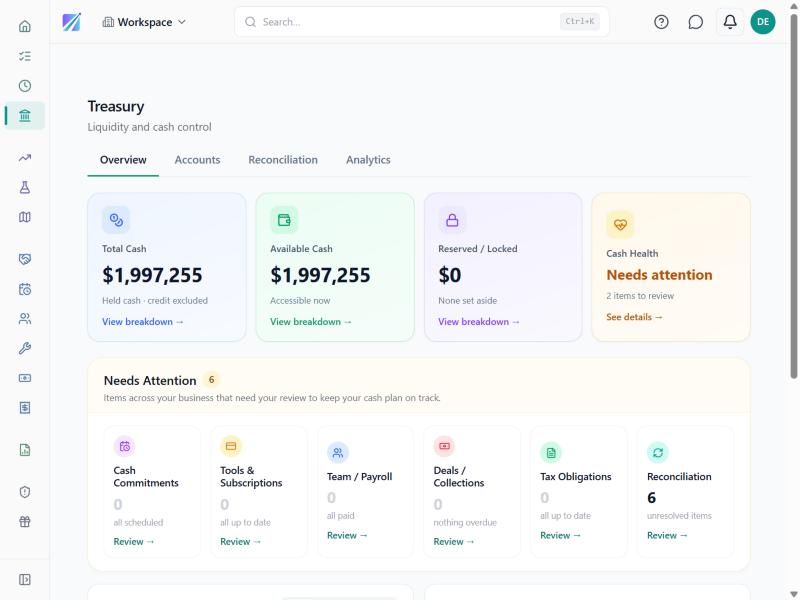
The four tabs
| Tab | What you'll find | Use it to |
|---|---|---|
| Overview | Your cash position, a Needs Attention summary, upcoming cash and recent movements. | Get a fast read on how much cash you have and what needs your review. |
| Accounts | Each account you hold, its balance, and its verification status. | Add accounts, choose a primary account, transfer cash and confirm balances. |
| Reconciliation | Bank and connected-source activity to review and resolve. | Import statements and resolve items to the right record — without changing your cash. |
| Analytics | Cash movement over time, drivers, and a full activity ledger. | Understand where cash went and export the detail. |
One place to manage cash
Treasury records the cash position that other RunwayCal views can use when they show cash-related information. Treasury is where you manage that cash.
Related
See your cash position clearly in RunwayCal.
Review your cash position in one place.