
Financial statements in RunwayCal
RunwayCal builds a P&L and a Cash Flow statement from the data you already keep — deals, team, tools, treasury and more — so you can see how the business performed and how cash moved, for any reporting period.
What the Financial Statements page shows
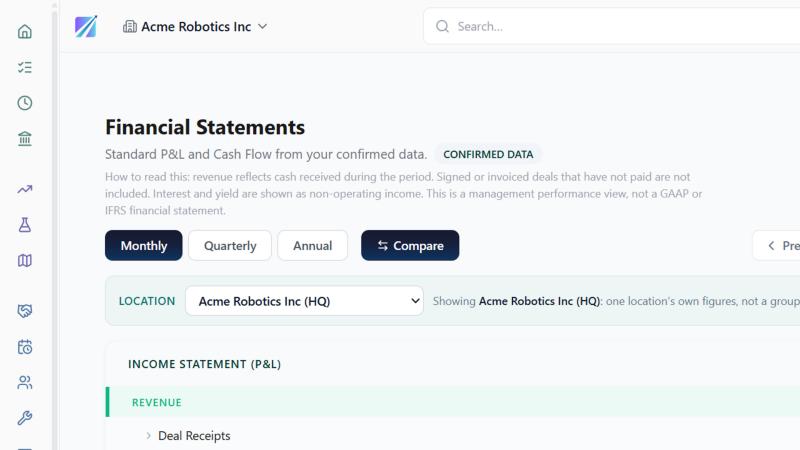
Open Financial Statements to see two reports for the period you choose: a Profit & Loss (P&L) and a Cash Flow statement, built from the data already in RunwayCal.
The P&L shows how the business performed over the period — your revenue, expenses and net income. The Cash Flow statement shows how your cash actually moved — what came in, what went out, and your beginning and ending cash.
RunwayCal assembles both from the data you record — deals and receipts, team, tools, commitments, treasury and funding. It doesn't re-key or re-calculate your accounting; it presents a management view of what you've recorded.
A management, cash-based view
This is management reporting, not a GAAP statement
RunwayCal's financial statements are a management view built from the data you record. Revenue is cash-based (money recorded as received), and the statements are not GAAP or IFRS statements, not an accounting-ledger close, and not a balance sheet. They help you understand and share performance — they don't replace your accounting system or your accountant. See the reporting basis for exactly what's included.
- Pick a reporting period — monthly, quarterly or annual — and compare it with the previous one.
- Expand a line to see what makes it up (for example, revenue by deal, or payroll by department).
- Switch location to see one location's own figures.
- Export the statements as a PDF to read, or a CSV to analyze.
Related
See how your business performed and where cash went with RunwayCal.
Start with the reporting basis to read every number correctly.