
Transfer money between Treasury accounts
Move cash from one of your accounts to another. A transfer relocates cash between accounts — it doesn't create new cash.
Transferring cash is available to roles that can record Treasury activity. If the option is unavailable, ask a workspace owner or administrator to review your access.
Before you start
- Two Treasury accounts in the same currency.
- Enough available cash in the source account.
Make a transfer
Use a transfer when cash moves from one of your Treasury accounts to another.
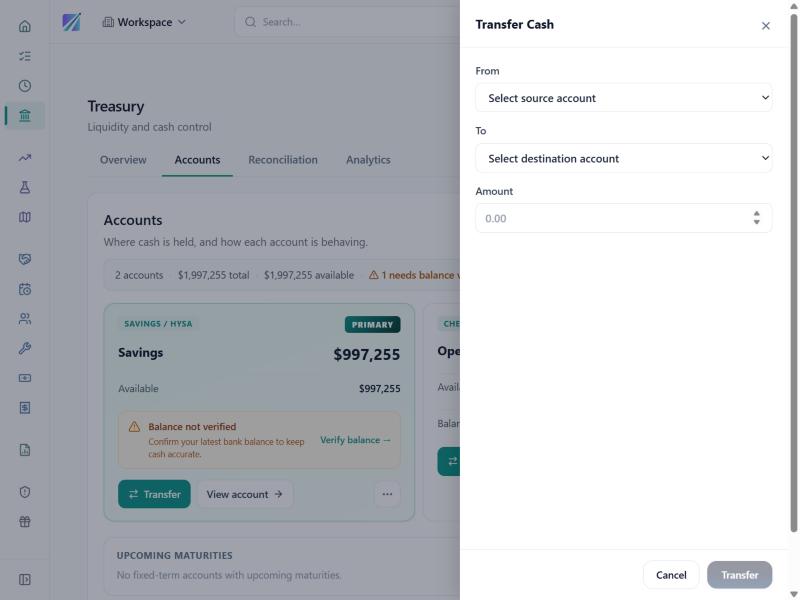
Open Transfer Cash
In Treasury, go to Accounts and choose Transfer Cash. You can also start a transfer from an account's card.
Choose the accounts
Pick the account the money is coming from and the account it's going to.
Enter the amount
Enter how much to move, then confirm. The source balance goes down and the destination balance goes up by the same amount.
What a transfer does
A transfer is not new cash
Moving money between your accounts changes where cash is held, not how much you have. Your total cash stays the same.
- Transfers are between accounts in the same currency.
- RunwayCal records both sides of the transfer, so the source and destination accounts reflect the same transfer.
- If a transfer needs to be undone, the reversal is recorded as a new entry — your history isn't deleted.
Related
See your cash position clearly in RunwayCal.
Keep cash in the right account without changing your total.