
Salesforce
Revenue & CRM
Review Salesforce opportunities before creating or linking RunwayCal deals.
What it does
Connect Salesforce to read supported accounts, contacts, and opportunities. RunwayCal presents opportunity suggestions for review so you can link an existing deal or create a new one without writing back to Salesforce.
Prerequisites
- A Salesforce account with opportunities
- System Administrator profile or "Manage Connected Apps" permission
Step-by-step setup
Click Connect
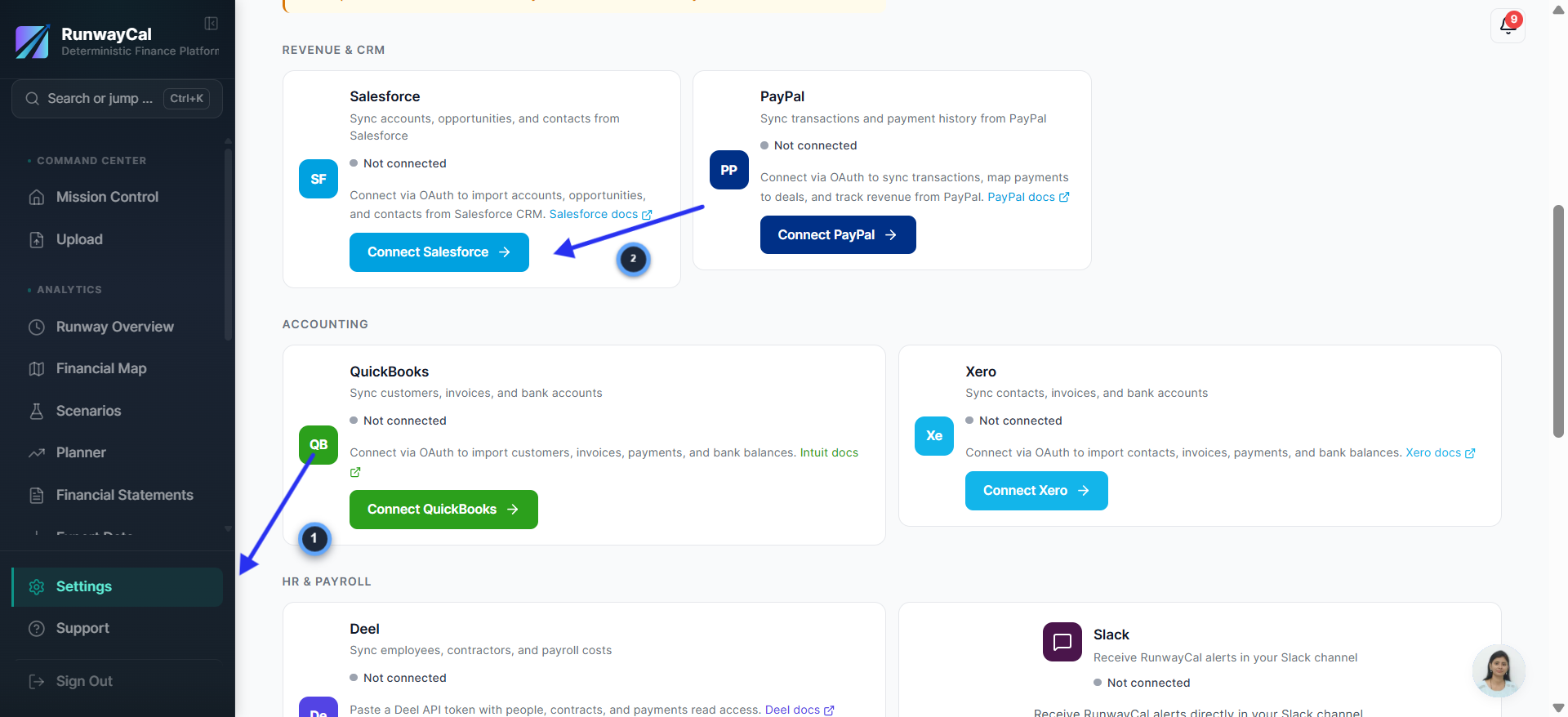
- 1.In RunwayCal, go to Settings then Integrations tab
- 2.Find the Salesforce card under "Revenue & CRM"
- 3.Click "Connect Salesforce"
Authorize in Salesforce
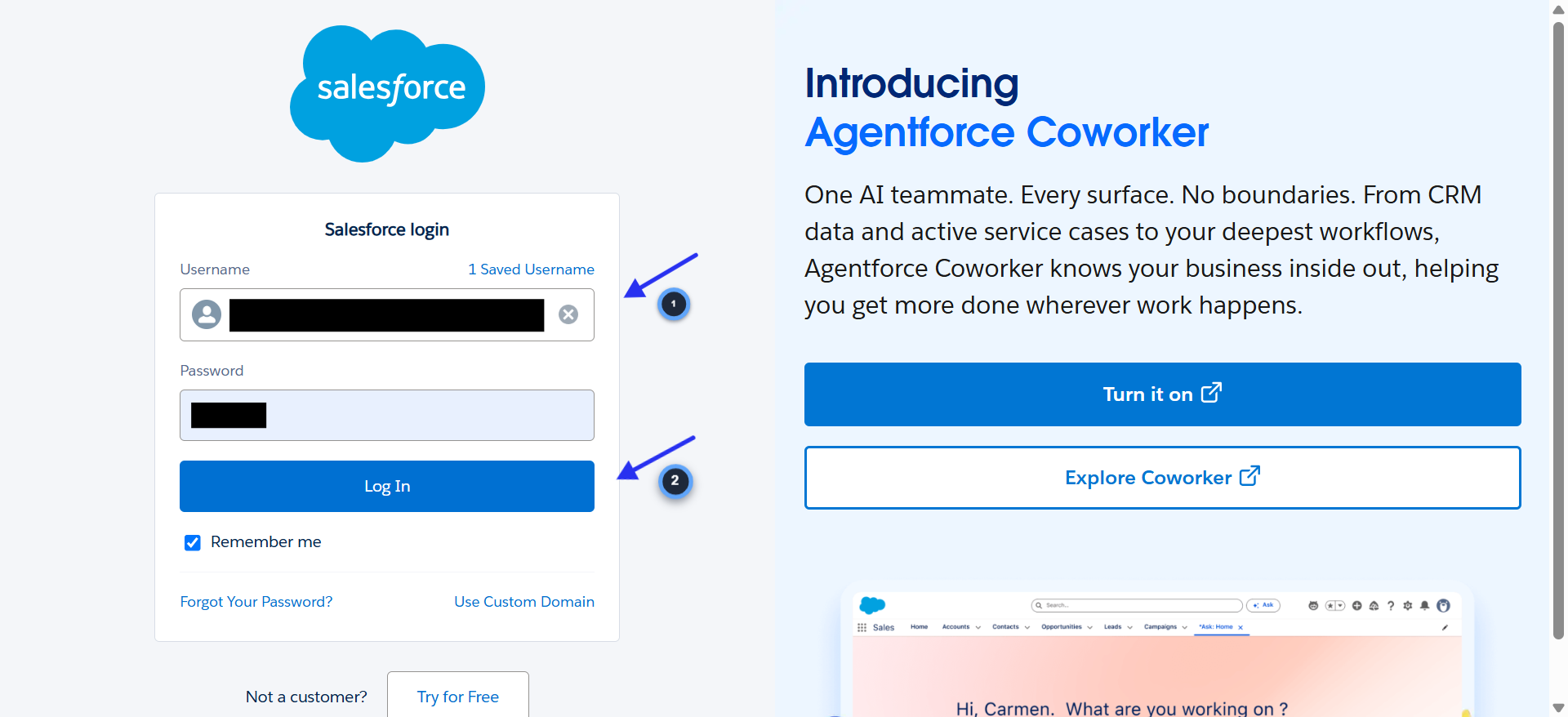
- 1.You'll be redirected to Salesforce login
- 2.Log in with your Salesforce credentials
- 3.Review the permissions and click "Allow"
Verify connection
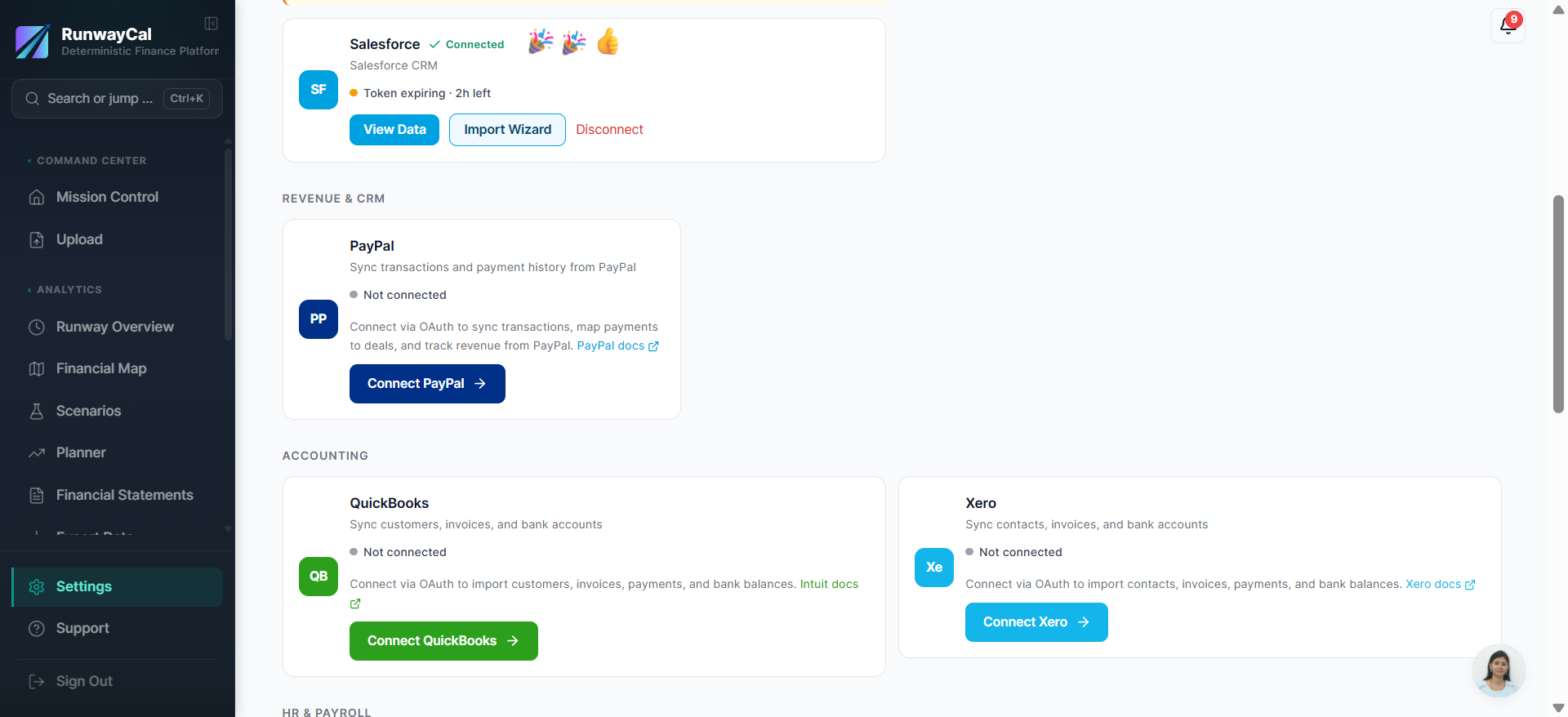
- 1.The Salesforce card shows a green "Connected" badge with your org name.
What you'll see after connecting
The Salesforce card shows a green "Connected" badge with your org name. Use "View Data" to refresh opportunities and review each suggested link or creation action.
Available connection data
| Data | Description |
|---|---|
| Opportunities | Deal name, amount, stage, close date |
| Opportunity stages | Mapped to Pipeline/Won status |
| Account names | Customer identification |
Troubleshooting
Invalid scope
Your Salesforce edition may not support API access. Check that your edition includes API access (Professional Edition and above with API add-on, or Enterprise/Unlimited).
Token expiring
Normal behavior. RunwayCal auto-refreshes Salesforce tokens.
Missing opportunities
Only opportunities you can access in Salesforce will appear. Check your Salesforce sharing rules.